 Business PCs
 Custom Gaming PCs
 POS Systems
 Pre-build PCs
 Workstations and Servers
 Gaming Chair Parts
 Gaming Controllers
 Gaming Headsets
 Gaming Keyboards
 Gaming Monitors
 Gaming Mouse Pads
 Keyboard Accessories
 Carrying Case
 Cooling stands
 Docking Station
 Laptop Chargers
 Laptop bags, cases, backpacks
 Laptops Stands
 Laptops and Notebooks
 CPU Coolers
 Case Fans
 Computer Cases
 Graphics Cards
 Hard Disks and SSDs
 Memory (RAM)
 Motherboard
 Power Supply (PSU)
 Processors (CPU)
 Monitor mounts
 Office Monitors
 Accessories
 Cables & Adapters
 Cameras
 Docking Station / ENCLOSURE
 Flash Drives
 Keyboards and Mice
 USB hubs
 Card Readers
 External Hard Disks
 HDD ENCLOSURE
 M2 NVME
 SATA 3.5"
 SSD
 Powerlines
 Routers - AP
 Switches
 Accessories
 Phone Chargers
 Power Banks
 Smartphone and tablet bags
 Smartphones
 Smartwatches
 Tablets
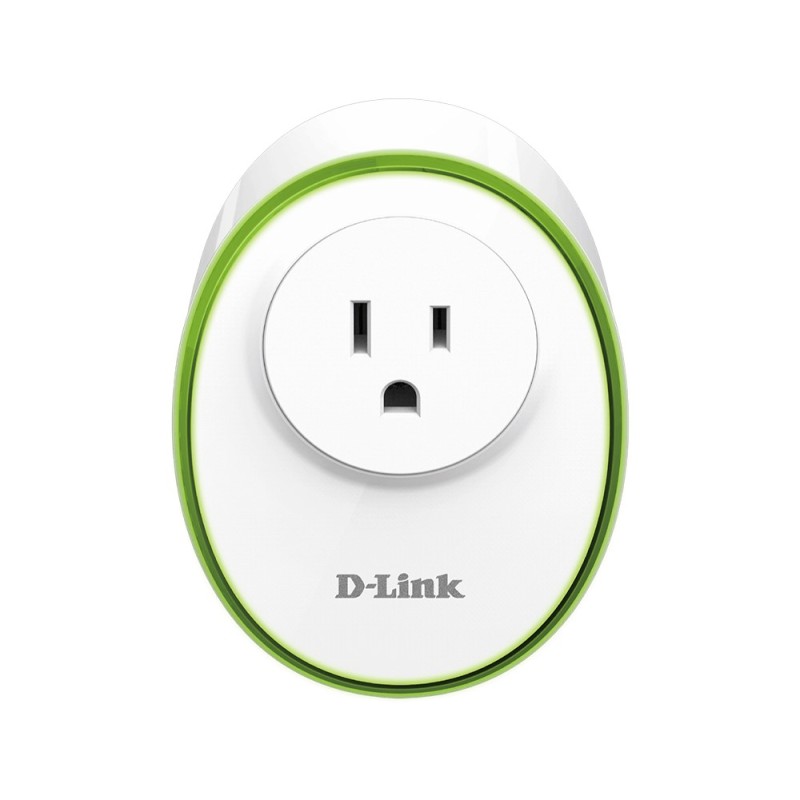

DLINK WIRELESS N SMART PLUG, SMART REMOTE CONTROL, CONTROL YOUR APPLIANCES FROM ANYWHERE, SURGE PROTECTION, WPS, AUTOMATIC SCHEDULING, 1 X UK PLUG
- Price includes VAT
mydlink™ Wi-Fi Smart Plug
DSP-W115
♦ Wireless 802.11n
♦ Wi-Fi Protected Setup (WPS)
♦ mydlink™ app support
♦ Power scheduling
♦ Smart remote power control
♦ Automation
♦ Cable-free installation
Product Highlights
Features
The DSP-W115 mydlink™ Wi-Fi Smart Plug is a versatile and easy-to-use device that allows you to monitor
and control an electrical appliance from wherever you are. Its compact size lets you inconspicuously
build a connected home and the legible LED ring lets you know the status at a glance. Scheduling
provides a helpful way to save power while you’re at work or asleep, and the mydlink™ app provides
an easy way to set up alerts or manually power a device on or off, giving you peace of mind – anytime.
Control Your Appliance from Anywhere
With the DSP-W115 mydlink™ Wi-Fi Smart Plug, you can control the attached electrical appliance in your
home while you’re away. Set a schedule that turns your TV off when you’re asleep, power off your coffee
maker on your morning commute to work, or automatically turn on your living room lamp while you’re
on vacation. The free mydlink™ app works with iPhone®, iPad®, and Android™ devices to allow you to
remotely switch your appliances on or off from your mobile device and manage your power schedules
while on the go.
Smart, Compact Design
The DSP-W115 mydlink™ Wi-Fi Smart Plug is designed to fit into any home decor inconspicuously.
A large LED ring around the device lets you quickly see the device status at a glance from across the
room. In case it becomes bothersome, you also have the option to turn it off at any time at the press
of a button. Two other tactile buttons on its side lets you quickly power on or off the device or set up
a network connection during installation, so you won’t have to open the app when you don’t need to.
Easy to Set Up
The DSP-W115 lets you connect any electrical appliance for control via your smart home network. Just
plug it into a wall outlet then plug a device into the power socket. Press the power button on the right
side of the device, then press the Wi-Fi Protected Setup (WPS) button on the DSP-W115 and on your
home router to quickly establish a secure connection. Fire up the free mydlink™ app on your mobile
device to add the mydlink™ Wi-Fi Smart Plug to your smart home network, and you can set schedules
and automate your appliances right away.
Automatic Scheduling
Schedule power on/off for your
appliance
Access from Anywhere
Manage your device remotely using
a mobile app
On & Off Device Control
Turn your device on and off from
your phone
There are no reviews for this product, be the first to leave your review.
No questions about this product, be the first and ask your question.